The Industry Standard Macropads for Streamers
The Industry Standard Macropads for Streamers
Quick Answer
- Standard macropads like the Elgato Stream Deck MK.2 provide seamless integration with OBS and Streamlabs out of the box.
- Budget alternatives like the VSDINSIDE and FIFINE AmpliGame D6 offer comparable LCD key arrays and wide compatibility for PC and Mac.
- Streamers can configure a free macro setup using companion apps like Macro Deck 2 to repurpose an existing smartphone or tablet.
- For advanced users, DIY macropads can be built using ATmega32U4 microcontrollers, Arduino programming, or AI-assisted CAD designs.
The Industry Standard Macropads for Streamers
Managing a live broadcast requires precise timing, rapid scene switching, and immediate access to multimedia tools. Relying entirely on a standard keyboard and mouse often introduces friction into a live production. Keyboard shortcuts can clash with game bindings, and tabbing out of a fullscreen application to adjust a volume slider breaks the pacing of a stream. Dedicated macropads solve this by putting visual, tactile controls right on the desk. They act as the physical bridge between the creator and their broadcasting software, reducing complex multi-step processes into a single physical interaction.
The Elgato Stream Deck MK.2 has established a firm foothold as a primary control surface for content creators. Measuring exactly 6.2 x 3.6 inches, the unit maintains a footprint compact enough to sit neatly below a primary monitor or capture card setup without obstructing the creator’s view. The chassis features an aluminum construction, providing the necessary weight, rigidity, and durability to withstand the heavy, repeated taps that happen during intense moments of a live broadcast.
The core of the MK.2 interface accommodates 15 customizable keys. What sets this interface apart from a standard macro keyboard is that each individual key houses a vibrant LCD display. This allows operators to map specific, colorful icons or animated graphics to their programmed actions, creating immediate visual confirmation of what every button does. This dynamic visual feedback entirely removes the guesswork associated with traditional hotkeys. Hardware implementation is straightforward; the device connects via USB and is compatible with both Windows and macOS without requiring complex setup or drivers.
In terms of broadcast integration, the Stream Deck MK.2 ties directly into the most heavily utilized video production software on the market. It integrates seamlessly with streaming software such as OBS Studio, Streamlabs, and XSplit. Broadcasters can utilize the 15 keys to instantly switch camera angles, trigger transition animations, roll sponsor videos, or manipulate audio channels. If you are actively monitoring your output levels to fix quiet OBS stream audio, mapping a dedicated mute or gain-toggle to an LCD key ensures you maintain absolute control over your live mix.
For creators who require granular manipulation over continuous values—such as audio mixing, studio lighting brightness, or camera zoom levels—the Elgato Stream Deck Plus shifts away from the standard grid-only layout. This specific model features eight customizable LCD keys, four rotary dials, and an integrated touch strip. The physical rotary dials introduce analog-style adjustment capabilities, giving broadcasters a level of precision that standard push-buttons simply cannot replicate efficiently. Swiping across the integrated touch strip allows users to page through different control profiles instantly.
The Stream Deck Plus also extends its utility far beyond strict live video broadcasting. The software ecosystem for the Plus integrates across tools like Zoom, Slack, OBS, office software, and Zapier. This wide-ranging compatibility transforms the macropad into a hybrid productivity tool, capable of running a live video production at night while managing remote meetings, team communications, and automated workflows during the day. Broadcasters who also handle their own post-production work often compare the Loupedeck Live S vs Stream Deck Plus for video editing to determine which dial-based interface offers the most efficient timeline scrubbing and color correction experience.
Competing directly in this space, Razer offers a highly tactile alternative. The Razer Stream Controller All-In-One Keypad, fully compatible with PC and Mac, introduces a different physical sensation to the broadcast workflow. The primary interface utilizes 12 haptic keys, providing the operator with distinct physical vibration feedback the moment an action is successfully triggered.
To complement these haptic screens, the Razer Stream Controller is equipped with 8 programmable buttons and 6 dials. This dense arrangement of physical inputs allows a streamer to map dozens of discrete actions onto a single layout layer. The dials handle the fine-tuning of audio channels or lighting, while the haptic keys and programmable buttons manage instantaneous scene changes and software commands.
Streaming Macropad Comparison
| Device Model | Key Layout | Dials | Software & OS Compatibility |
|---|---|---|---|
| Elgato Stream Deck MK.2 | 15 customizable keys (with LCD display on each key) | — | OBS Studio, Streamlabs, XSplit, Windows, macOS |
| VSDINSIDE Macro Keypad Stream Controller | 18 keys (15 LCD + 3 buttons) | — | Windows 11+, macOS 14+ |
| ActionRing Streaming Macro Keypad | 6 LCD keys + 3 buttons | 3 dials | — |
| Macro Keypad Stream Controller USB | 18 keys (15 LCD + 3 buttons) | — | Windows 11+, macOS 11.0+ |
| Basicolor Streaming Macro Keypad | 6 LCD keys + 3 buttons | 3 dials | — |
| ULANZI D200H 7-in-1 Stream Controller Macro Keyboard | Preset-driven controls | — | Windows 10+, macOS 10.13+ |
| BTXETUEL 12 Key Mechanical Gaming Keyboard | 12 mechanical keys | — | Windows, Linux, macOS, Android, Raspberry Pi |
| SOOMFON Stream Controller SE | 6 LCD keys + 3 buttons | 3 knobs | macOS Big Sur 11.0+, Windows 10 64-bit+ |
| Razer Stream Controller All-In-One Keypad | 12 haptic keys + 8 programmable buttons | 6 dials | PC and Mac |
| SIKAI Programmable Macro Keyboard | 6 keys | 1 knob | Windows, Linux, Mac |
| Sehawei N4 Pro Macro Pad | 10 LCD keys | 4 smart knobs | Windows 10+, macOS 11.0+ |
| Elgato Stream Deck Plus | 8 customizable LCD keys, integrated touch strip | 4 rotary dials | Zoom, Slack, OBS, office software, Zapier |
| FIFINE AmpliGame D6 Stream Controller | 15 customizable LCD keys | — | OBS Studio, Streamlabs, Twitch, YouTube, Windows, Mac OS (does not work with consoles) |
| GALLEON 100 SD | Built-in Stream Deck keys | — | Elgato Marketplace prebuilt numpad profile |
| DIY macropad (ATmega32U4 Pro Micro-compatible) | — | — | QMK and Vial firmware |
| Codex Micro macro pad | 13 keys, a stick, and a touch sensor | 1 rotary dial | — |
| Macro Deck 2 | Smartphone, tablet, or touch screen device | — | PC application |
By moving crucial software functions off the monitor and onto the desk, these control surfaces allow creators to maintain their focus entirely on the content, the game, and the audience, rather than wrestling with drop-down menus.
Exploring Budget Hardware Alternatives
Premium broadcast interfaces dominate the market, but the barrier to entry for tactile stream management has dropped significantly. You do not need to spend hundreds of dollars to get dedicated buttons, knobs, and dials on your desk. Budget macro pads now replicate the core functionality of high-end units, offering everything from customizable LCD screens to hot-swappable mechanical switches. Choosing the right alternative depends entirely on whether your workflow prioritizes visual feedback, analog audio control, broad cross-platform compatibility, or physical desk consolidation.
For creators who rely heavily on visual cues, LCD-based controllers are the baseline standard. The FIFINE AmpliGame D6 Stream Controller is a prime example of a dedicated broadcast tool. It provides 15 customizable LCD keys, giving you enough real estate to map scene transitions and multimedia controls without constantly paging through folders. The FIFINE D6 integrates natively with standard broadcast software, including OBS Studio and Streamlabs, and supports direct actions for Twitch and YouTube. It is compatible with both Windows and Mac OS setups. However, hardware routing is strictly limited to desktop environments; the FIFINE D6 streaming controller does not work with consoles. Console gamers capturing gameplay while managing separate chat audio—a common hurdle when figuring out Why Your PS5 Wireless Headset Mutes Capture Card Audio—will have to rely entirely on PC-side controls.
If your scenes demand even more dedicated visual inputs, newer operating system users can look toward the VSDINSIDE Macro Keypad Stream Controller. This unit expands the physical layout to 18 keys, split between 15 LCD screens and 3 buttons. System requirements here are strict, demanding Windows 11+ and macOS 14+ to function. The Macro Keypad Stream Controller USB matches that exact 18-key layout containing 15 LCD screens and 3 buttons. It maintains the Windows 11+ requirement but is far more forgiving for Apple users, supporting older machines running macOS 11.0+.
Visual feedback is excellent for switching scenes, but managing live broadcast audio levels requires analog control. Dial-equipped macro pads excel in this environment, allowing you to ride faders smoothly instead of clicking a button to nudge volume up or down in rigid, stepped increments. The Sehawei N4 Pro Macro Pad strikes a strong balance for audio-heavy setups, equipping streamers with 10 LCD keys alongside 4 smart knobs. It is compatible with Windows 10+ and macOS 11.0+. Dedicated hardware knobs make it much easier to balance game audio against your microphone and Fix Quiet OBS Stream Audio & Learn to Read Digital Meters on the fly without breaking eye contact with your audience.
Several budget controllers have adopted a specific, compact hybrid layout geared toward merging video switching and audio mixing. The SOOMFON Stream Controller SE features 6 LCD keys, 3 buttons, and 3 knobs, requiring Windows 10 64-bit+ or macOS Big Sur 11.0+. Two other units—the ActionRing Streaming Macro Keypad and the Basicolor Streaming Macro Keypad—mirror a highly similar configuration, both offering 6 LCD keys, 3 buttons, and 3 dials. This combination of tactile and visual inputs resembles the layout strategies heavily discussed when comparing a Loupedeck Live S vs Stream Deck Plus for Video Editing, proving that entry-level hardware is successfully adopting professional interface designs.
Not every streamer needs or wants active screens. Some broadcast environments benefit from pure tactile feedback, where strict muscle memory dictates control. Mechanical macro pads offer a rugged, screen-free alternative. The BTXETUEL 12 Key Mechanical Gaming Keyboard provides a straightforward, USB-C wired connection with 12 mechanical keys. Its standout feature is its massive cross-platform versatility, supporting Windows, Linux, macOS, Android, and Raspberry Pi. For creators who prefer tuning the exact physical feel of their desk gear, the SIKAI Programmable Macro Keyboard drops the count to 6 keys and 1 knob but includes hot swappable switches, while maintaining broad compatibility across Windows, Linux, and Mac.
Utility can also take precedence over complex macro mapping. The ULANZI D200H 7-in-1 Stream Controller Macro Keyboard takes a dual-purpose approach. Rather than acting solely as a dedicated input device, it functions as a 7-in-1 hub featuring preset-driven controls, streamlining desk clutter for users on Windows 10+ and macOS 10.13+.
Budget Stream Controllers
| Device | Key Configuration | Compatibility |
|---|---|---|
| Elgato Stream Deck MK.2 | 15 customizable keys with LCD displays | Windows, macOS, OBS Studio, Streamlabs, XSplit |
| VSDINSIDE Macro Keypad Stream Controller | 18 keys (15 LCD + 3 buttons) | Windows 11+, macOS 14+ |
| ActionRing Streaming Macro Keypad | 6 LCD keys + 3 buttons + 3 dials | — |
| Macro Keypad Stream Controller USB | 18 keys (15 LCD + 3 buttons) | Windows 11+, macOS 11.0+ |
| Basicolor Streaming Macro Keypad | 6 LCD keys + 3 buttons + 3 dials | — |
| ULANZI D200H 7-in-1 Stream Controller Macro Keyboard | Preset-driven controls | Windows 10+, macOS 10.13+ |
| BTXETUEL 12 Key Mechanical Gaming Keyboard | 12 mechanical keys | Windows, Linux, macOS, Android, Raspberry Pi |
| SOOMFON Stream Controller SE | 6 LCD keys + 3 buttons + 3 knobs | Windows 10 64-bit+, macOS Big Sur 11.0+ |
| Razer Stream Controller All-In-One Keypad | 12 haptic keys + 8 programmable buttons + 6 dials | PC, Mac |
| SIKAI Programmable Macro Keyboard | 6 keys + 1 knob (hot swappable switches) | Windows, Linux, Mac |
| Sehawei N4 Pro Macro Pad | 10 LCD keys + 4 smart knobs | Windows 10+, macOS 11.0+ |
| Elgato Stream Deck Plus | 8 customizable LCD keys, 4 rotary dials, integrated touch strip | Zoom, Slack, OBS, office software, Zapier |
| FIFINE AmpliGame D6 / FIFINE D6 Stream Controller | 15 customizable LCD keys | Windows, Mac OS, OBS Studio, Streamlabs, Twitch, YouTube (does not work with consoles) |
| GALLEON 100 SD | Built-in Stream Deck keys | Elgato Marketplace |
| DIY macropad (ATmega32U4 Pro Micro-compatible) | — | QMK firmware, Vial firmware, USB |
| Codex Micro macro pad | 13 keys, 1 rotary dial, 1 stick, 1 touch sensor | — |
| Macro Deck 2 | — | PC application, smartphone, tablet, touch screen device |
Selecting a budget controller forces you to isolate your immediate broadcast bottlenecks. Identify whether you lack visual scene management, physical audio faders, or simple connectivity, and match the hardware strictly to that operational deficit.
Software Configurations and App-Based Controllers
Configuring hardware controllers requires a precise approach to software mapping. Inside the Stream Deck software, assigning a traditional numpad key requires specific steps to ensure the program registers the exact keystroke rather than a generic alphanumeric input. You start by dragging System, selecting Hotkey, and dropping it onto a specific key on your digital canvas. Once placed, opening the input dropdown allows you to explicitly choose a Numpad input. This operational distinction is strictly necessary for software applications, flight simulators, or editing timelines that bind specific macro commands exclusively to numpad presses.
To maximize the limited physical real estate on a desktop controller, Stream Deck Folders provide a reliable structural solution. A folder lets one key open a secondary page of actions. Instead of clustering every single broadcast command onto the main profile, you can nest tools by their specific category. You might dedicate the main page to primary scene switching and microphone toggles, while nesting specialized color grading shortcuts inside a dedicated folder. Managing these nested layouts becomes particularly important when mapping out extensive post-production workflows, such as when comparing the Loupedeck Live S vs Stream Deck Plus for Video Editing.
Some hardware natively integrates this software ecosystem to bypass manual configuration entirely. The GALLEON 100 SD features built-in Stream Deck keys, directly merging specialized physical inputs with Elgato’s proprietary configuration software. Rather than building a layout from scratch using the manual System to Hotkey method, users can opt for a prebuilt numpad profile designed specifically for this exact device. This profile is available as a direct download from the Elgato Marketplace. Relying on a prebuilt configuration completely eliminates the setup time associated with manually assigning individual keystrokes.
Dedicated hardware is not the only way to achieve granular control over a live broadcast timeline. Macro Deck 2 operates as an open-source companion app that shifts the control interface to devices you already own. By running a required PC application, Macro Deck 2 turns a smartphone, tablet, or any touch screen device into a fully functional macro pad. This client-server architecture allows content creators to repurpose older mobile devices into dedicated control surfaces without the strict requirement of investing in additional physical hardware.
The app ecosystem demonstrates significant user adoption for this open-source tool. The Macro Deck app has surpassed 100K+ Downloads on Google Play. Its development cycle remains highly active, with a recent application update released on 17 Apr 2025. This ongoing software support ensures the companion app maintains the necessary compatibility with modern Android operating systems and provides the refined stability required for continuous live streaming environments, where dropped connections during a broadcast are unacceptable.
What separates Macro Deck 2 from basic touch-input applications is its underlying feature architecture. The software includes a robust set of customization tools that extend well beyond simple button mapping. It features a built-in package manager that handles the direct installation of plugins and icon packs. This internal ecosystem allows users to alter the visual interface and expand software compatibility directly within the application itself. For users who need remote access or network-based control, the software also includes a dedicated web client.
The structural organization within Macro Deck accommodates complex broadcast workflows through the use of multiple profiles and unlimited folders. You are not artificially capped on how many layers deep your command structure can go, giving you ultimate flexibility over your digital routing. More importantly, Macro Deck supports logic and global variables. This means buttons can dynamically change states based on specific conditions in your streaming software or operating system. Instead of a static button that simply sends a single keyboard shortcut, logic allows a macro button to read the current state of a designated source and execute a completely different string of commands depending on the active value of a global variable.
Going Fully Custom: Building and Designing a DIY Macropad
When commercial controllers fail to match your exact workflow requirements, building a custom DIY macropad provides a level of physical and programmatic control that off-the-shelf units cannot offer. While comparing retail options like the Loupedeck Live S vs Stream Deck Plus for Video Editing can solve most standard problems, advanced streaming and editing environments often demand highly specific, dedicated hardware solutions.
At the foundation of a reliable DIY macropad is the ATmega32U4 Pro Micro-compatible microcontroller. This specific piece of hardware is the standard for custom input devices because it features native USB support. Unlike standard development boards that require software-side serial-to-USB translation, native USB support ensures that your host computer recognizes the macropad immediately as a standard peripheral. Furthermore, the ATmega32U4 works natively with QMK and Vial firmware. These open-source platforms are the backbone of the custom mechanical keyboard community, allowing creators to flash complex layers, multi-step macros, and dynamic keymaps directly to the onboard memory. This guarantees the device retains its custom programming regardless of which workstation it connects to.
For users who prefer to write their own execution logic from scratch, the Arduino IDE provides a highly accessible alternative. By utilizing the built-in keyboard.h library within the Arduino environment, you can write distinct code arrays to send key presses directly over USB. The logic is fast to deploy for complex live streaming tasks. For instance, the hardware executes commands like Keyboard.press('A') to trigger an input, which must always be followed by Keyboard.releaseAll() to ensure the operating system registers the key release, preventing a continuous, stuck input loop in your broadcasting software.
Hardware execution requires a thoughtful physical layout, and the Codex Micro macro pad serves as an ideal baseline for advanced control schemes. Moving past the limitations of simple button grids, this design incorporates multiple input methodologies to handle diverse tasks like audio mixing, timeline scrubbing, and rapid scene switching.
The Codex Micro features exactly 13 keys, providing a solid foundation for standard trigger actions and tool selections. Beyond the keys, it integrates a rotary dial, a stick, and a touch sensor. The rotary dial offers tactile, analog control for precise adjustments on timelines or audio tracks, while the stick allows for immediate multidirectional input. The inclusion of a touch sensor adds a modern, capacitive activation method for tasks requiring zero physical actuation force.
Housing this combination of switches, dials, and the microcontroller requires precise 3D modeling. Traditionally, designing custom enclosures involved hours of manual sketching in complex software. Recently, however, autonomous AI agents have demonstrated the ability to execute these specialized mechanical design workflows.
In a complex hardware fabrication test, AI design leads Claude Fable 5 and operator Claude Opus 4.8 successfully produced 3D-printable CAD data for a Codex Micro-style macro pad. Rather than relying on a traditional graphical user interface, the AI agents interacted with Autodesk Fusion CAD software directly via MCP. Through the Model Context Protocol, the AI issues explicit geometric directives to shape the 3D enclosure.
This autonomous workflow relies on exact mathematical coordination to map the physical layout. Autodesk Fusion CAD software receives commands via MCP, such as instructions to draw a line 19.05mm to the right and make a 14mm diameter hole to properly mount the mechanical hardware. The AI is responsible for calculating the necessary tolerances, support structures, and internal mounting pegs to house the internal circuitry securely.
Generating flawless, 3D-printable CAD data autonomously is highly demanding. The strict constraints of physical geometry mean that minor miscalculations lead to structural failures. During this modeling process, the AI system executing the CAD design stumbled 19 times before completing the macro pad blueprints. These iterations were necessary to resolve conflicts in the spatial logic, adjust the mounting cutouts for the 13 keys, and correctly position the recesses for the rotary dial, stick, and touch sensor. Through iterative adjustments via MCP, the AI eventually finalized a functional, ready-to-print enclosure that perfectly encapsulates the custom electronics.
References
About the author
The ZQStream Team
Writes long-form essays on Live Streaming Tips, Video Editing Tutorials, Content Creator Gear, Software Tutorials, and Audience Growth Strategies and related topics. Curated by the editorial team behind ZQStream.
Read more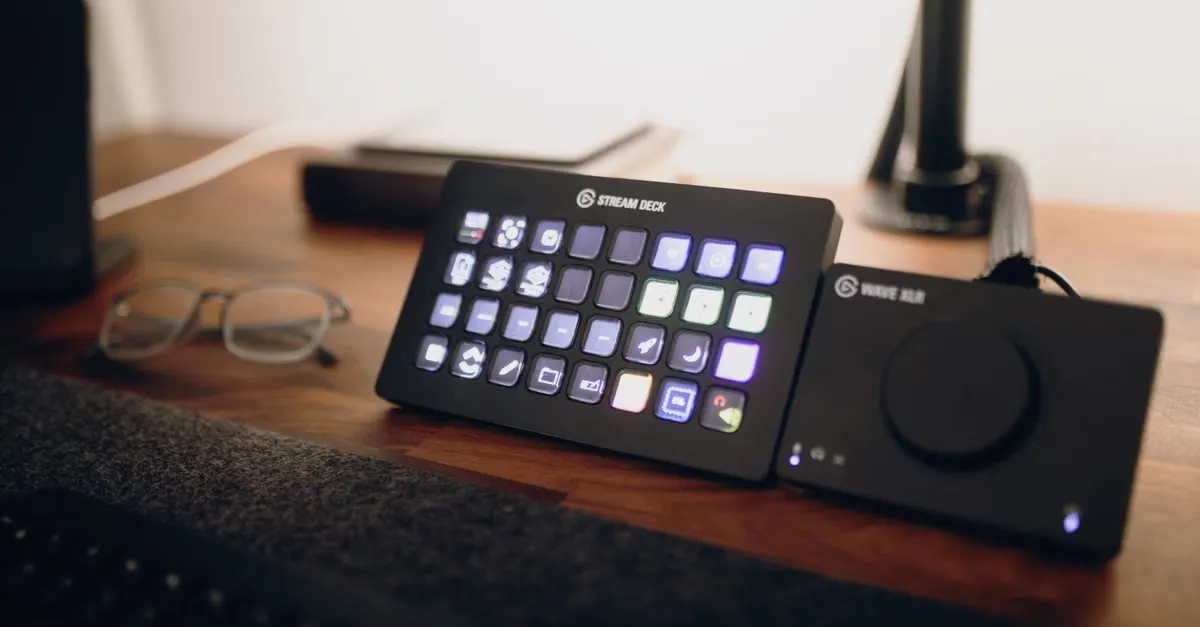
Fix Quiet OBS Stream Audio & Learn to Read Digital Meters
Multi-Format Video Editing: Fix Audio Sync Issues
Keep reading
Related Articles