
How to Keep Talking When Your Stream Has Zero Viewers
Learn how to keep talking when your stream has zero viewers. Discover strategies to maintain continuous commentary, hide metrics, and engage new audiences.
Quick Answer
- Hide your viewer count to focus entirely on maintaining your performance instead of stressing over metrics.
- Narrate your inner thoughts, explain your in-game strategies, and pose hypothetical questions to keep a running commentary.
- Keep a prepared ‘crutch list’ of 10-15 casual talking points nearby to fill any silent gaps.
- Perform continuously so that when new viewers drop in, they see an active stream within their first 7 to 10 seconds of joining.
Why Continuous Commentary Matters
With over 7 million unique streamers live every month on the platform, the competition for an audience’s time is absolute. You are not just competing against other creators playing the same game or talking about the same topics; you are fighting against the viewer’s instinct to click away.
In the broader discipline of digital marketing, capturing a user’s attention within the first 10 seconds is crucial. Live streaming operates on an even less forgiving timeline. Viewers will get a concrete impression of exactly who a streamer is within just 7 seconds of joining a broadcast. That brief, immediate window dictates whether they stay to see what happens next or instantly navigate back to the directory to find someone else. If they drop into your channel and you are staring silently at a monitor, waiting for the chat to move before you speak, the impression they get is of a stagnant, unengaging space.
Because of stream latency and platform update intervals, by the time your analytics dashboard registers a new viewer, their 7-second impression window has already closed. The mistake most creators make is waiting for external validation—a higher viewer count or a new chat message—before they turn on their broadcasting persona. This creates a fatal delay.
Performing continuously as if an audience is present is the only reliable defense against this dynamic. By maintaining a constant stream of commentary, you ensure that new viewers encounter an active environment instead of silence. When you narrate your thought process, react audibly to on-screen events, or discuss your strategy out loud, a new viewer walks into a show that is already happening. You eliminate the awkwardness of dead air and immediately project the value of your broadcast.
That initial burst of energy buys you slightly more time, but the clock is still ticking. On Twitch, it is crucial that a new viewer is actively engaged within the first minute or so of joining. The transition from the 7-second initial impression to the one-minute engagement marker is where continuous commentary does the heavy lifting. It bridges the gap between arrival and retention. It gives the viewer immediate context, ongoing entertainment, and a direct reason to type in the chat box, which is a fundamental step if you want to turn passive YouTube viewers into active chatters.
Speaking to an empty room requires discipline, but treating zero viewers exactly the same as one thousand viewers builds the muscle memory required for retention. Continuous commentary guarantees that whenever someone clicks your thumbnail, they immediately land in an engaging, lively broadcast. You do not have to waste their first 7 seconds proving you are entertaining, because your active environment is already demonstrating it.
Mastering the Running Commentary Technique
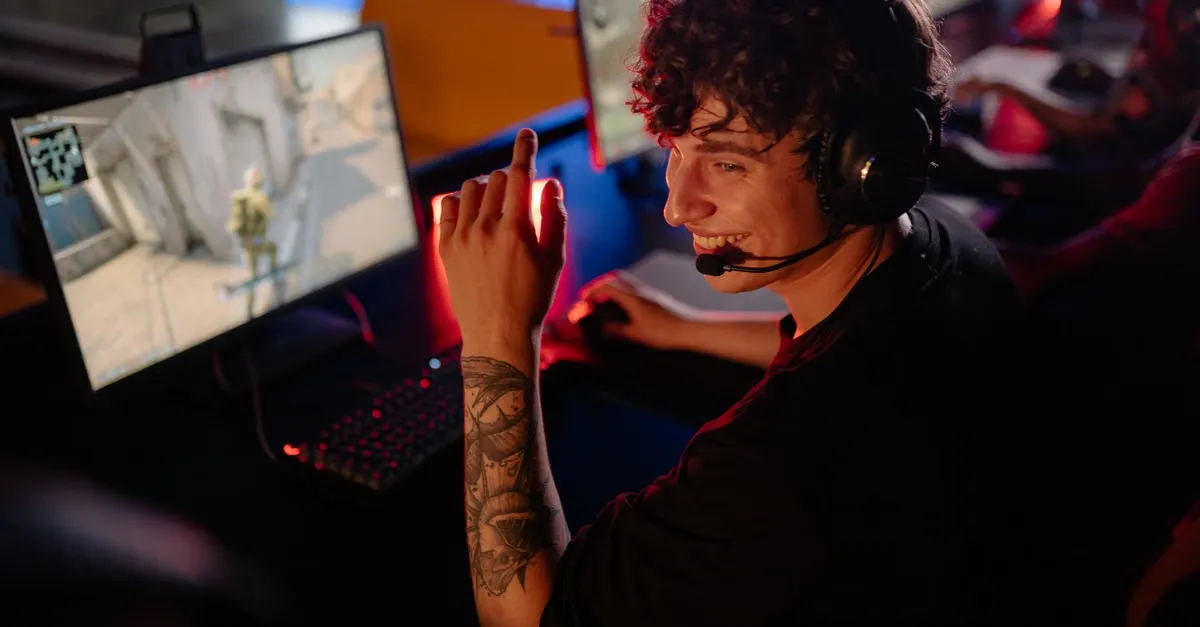
To maintain a continuous flow of conversation on stream, the most effective approach is turning your inner thoughts into a running commentary. Most individuals process their gaming tactics silently, but broadcasting requires you to externalize that cognitive process. You achieve this by narrating everything you are doing on screen. When you consistently verbalize your gameplay strategy, explain your upcoming moves, and react audibly to game events as they unfold, you ensure the stream content remains dynamic. This constant audio stream guarantees that anyone dropping into the channel immediately encounters an active, engaging environment rather than dead air.
Moving beyond simply stating what you are doing, you must focus on the reasoning behind those actions. Explaining the “why” behind your in-game decisions is a highly effective method to practice the skill of non-stop commentating. If you choose to hold a specific choke point, swap a weapon, or bypass a side quest, speak that rationale out loud. Articulating these decisions forces your brain to process tactical choices verbally, transforming a brief, silent action into an extended piece of commentary. This continuous loop of action and explanation builds the vocal stamina necessary for long broadcasting sessions.
Many creators freeze when the viewer count drops, but you can actively practice commentary without viewers. You do this by narrating your gameplay, sharing your strategies, and expressing your reactions to the game regardless of who is watching. The goal is to train your broadcasting reflexes so that speaking becomes involuntary. If a surprising event happens in-game, expressing that reaction audibly—even to an empty room—cements the habit of vocalizing your experience.
When a busy chat room is unavailable to prompt your commentary, you must manufacture the interaction yourself. Streamers can simulate an audience by asking hypothetical questions, responding to imagined queries, and commenting on their own gameplay as if explaining it to someone sitting right next to them. Instead of silently weighing options, ask out loud, “Should I push this objective now, or fall back and wait for the rest of the team?” You can then create simulated conversations by posing these questions to yourself and immediately providing your own detailed analysis of the situation.
Responding to imagined queries removes the awkwardness of a quiet stream. By treating the microphone as an active participant, you bridge the gap between solo gameplay and professional entertainment. Mastering this solo dynamic sets the foundation for channel growth; it is a fundamental part of How to Turn Passive YouTube Viewers into Active Chatters. When a new viewer finally decides to type a message, they are simply stepping into a conversation you have already been confidently hosting out loud.
Preparing Talking Points and Stream Structure
Going live without a roadmap is a fast track to dead air. You need a reliable framework that sustains momentum from the moment the starting screen fades until the final sign-off. Streams should be at least two hours long simply to allow the broadcast to populate in feeds and give viewers time to discover it. However, pushing that duration to three to four hours stands as the ideal goal for maximizing audience retention and growth. Filling that substantial block of time with engaging, continuous commentary requires intentional preparation before you ever sit down at your desk.
The most effective safeguard against awkward silence is a dedicated crutch list. Before you go live, develop an inventory of 10 to 15 talking points you can immediately lean on whenever the chat slows down or the on-screen action hits a repetitive stretch. These subjects do not need to be profound to be engaging. In fact, highly relatable, simple topics usually perform best. Build your list around everyday experiences: new foods you recently tried, favorite products you are currently using, interesting articles you read earlier in the week, your upcoming plans, or just basic daily observations. The key to this list is accessibility. Keep your talking points exactly where you can see them without disrupting your setup. Place the list on a second monitor, physically write it on a notepad on your desk, or leave it open on a dedicated phone app. When an inevitable stream lull occurs, you simply glance over, pull the next topic, and seamlessly bridge the gap in conversation for quick reference.
Beyond daily life anecdotes, you need material that creates long-term investment. You can easily invite future discussions by actively sharing your specific views on broader, ongoing subjects. Dedicate portions of your broadcast to breaking down recent gaming trends, analyzing specific game mechanics, or discussing major industry news. Establishing a firm stance on these topics trains your audience to expect deeper conversations. It gives them a compelling reason to return to your next broadcast just to hear your take on how a developing news story unfolded or how a new game mechanic is functioning.
To effectively manage a four-hour broadcast, you must also implement interactive segments that anchor the stream’s timeline. Instead of relying purely on reactionary commentary, structure specific blocks of time around deliberate engagement. You might open the broadcast with a “Question of the Day” debate topic to immediately spark activity in the chat. Later in the broadcast, you can shift gears into a “Weekly Q&A” to directly address your community. You can further break up standard routines by introducing themed content or bringing in guest appearances to completely change the dynamic. Segmenting the stream into these distinct chapters makes a long broadcast feel incredibly fast-paced, and it is a fundamental tactic when learning how to turn passive YouTube viewers into active chatters.
Automating Engagement with Streamer Tools
Streamers often try to juggle live gameplay, monitor chat, and manage technical backend software simultaneously. This split focus routinely kills audience momentum and leads to broadcaster burnout. Automating your stream tools shifts the heavy lifting to the software layer, allowing you to dedicate your full mental bandwidth to the broadcast itself.
A secure environment is a strict prerequisite for high-level engagement. Before layering in interactive chat features, you must establish a functional moderation baseline. Twitch provides native tools including AutoMod, blocked terms lists, and specific verification requirements to configure moderation settings against harassment. Locking down these settings early offloads the initial filtering process to the platform. By the time a message reaches your main chat window, the system has already screened it, meaning you spend significantly less time managing disruptive accounts and more time interacting with legitimate participants.
With a secure baseline established, you can automate routine broadcast mechanics. Streamlabs Cloudbot can be programmed to send a message in chat at timed intervals. Setting these up to remind you to grab water or stand up and stretch keeps the stream pacing healthy. It also humanizes the broadcast, frequently prompting the community to take their own breaks alongside you. For creators attempting to scale their reach without multiplying their technical workload, a Streamlabs Ultra membership grants the ability to multistream to multiple platforms simultaneously. You encode and upload one broadcast, and the software handles the wide distribution.
Where automation truly alters stream dynamics is in proactive viewer interaction. FrostyTools offers a specialized suite designed to bridge the gap between static commands and active community building. At the exact moment you go live, the FrostyTools “Showstarter” feature analyzes your previous streams to remind viewers of past moments. This mechanism immediately hooks returning viewers by surfacing inside jokes or memorable plays from recent memory, establishing continuity between broadcasts. It serves as a highly effective method to turn passive YouTube viewers into active chatters right from the intro screen.
Relying entirely on your audience to drive the conversation often results in extended periods of dead air. The FrostyTools “Smart Scheduled Chat Messages” feature intercepts this problem by providing dynamic conversation starters that evolve with stream context. Instead of dropping rigid, pre-written text blocks on a flat timer, the system reacts to the current state of the broadcast, injecting relevant prompts that feel organic to the viewers.
The most vulnerable phase of any live broadcast is the required ad break. Viewers instinctively click to other tabs or entirely different channels when the primary content stops. To actively counter this drop-off, the FrostyTools “Attention Retention” feature uses interactive recaps and trivia to keep chat engaged during ad breaks. Filling forced downtime with automated, community-driven activities transforms a standard commercial interruption from a mass exit point into a dedicated, interactive segment for your core audience.
Managing Mindset and Post-Stream Routines
Staring at a fluctuating number on a dashboard dictates a creator’s mood in real-time. When that number drops, energy plummets; when it rises, adrenaline spikes. This constant emotional whiplash exhausts broadcasters and actively harms the quality of the content. Hiding the viewer count allows streamers to focus entirely on performance rather than metrics. When you remove this data from your line of sight, the pressure shifts from an uncontrollable outcome to a controllable action. You stop reacting to an algorithm and start entertaining the audience in front of you. Maintaining a consistent performance regardless of the immediate data is the exact foundation required if you want to learn How to Turn Passive YouTube Viewers into Active Chatters. When you are no longer distracted by analytics, your viewers feel a stronger, more genuine connection.
The psychological challenge of streaming does not end when the broadcast stops. The moment you end the stream, the adrenaline begins to fade, leaving a vacuum that is often filled by immediate self-criticism. Creators naturally tend to hyper-focus on negative moments immediately after signing off: a quiet chat room, a missed punchline, or technical frustrations like having to scramble and How to Fix Your OBS Studio Audio Setup After the Update mid-game.
To combat this negative spiral, implement the post-stream “Three Goods” exercise. The framework for this routine is strict: you must identify three things you did well during the broadcast before you are allowed to analyze areas for improvement. Forcing your brain to catalog successes establishes a baseline of confidence. These victories do not have to be massive milestones. A “good” can be as simple as keeping your energy up during a slow segment, executing a scene transition smoothly, or handling a disruptive commenter with grace. Only after acknowledging these three positive elements should you transition into critiquing the stream and noting what needs to be adjusted for the next session.
Mental framing requires physical reinforcement to be truly effective. Lingering in the same chair where you just broadcasted makes it nearly impossible to disconnect from the stress of the performance. Implementing a defined post-stream shutdown ritual physically separates the creator from the broadcast environment.
This post-stream shutdown ritual can include a few definitive steps: closing your streaming software, turning off your studio lights, and immediately engaging in a non-streaming activity. Closing the software eliminates the immediate temptation to check your final analytics or obsess over the video-on-demand recording. Flipping the switch on the studio lights serves as a hard psychological boundary between work mode and personal life. By stepping away from the desk and transitioning directly into an entirely unrelated activity—such as taking a walk, preparing a meal, or reading—you force your mind to reset and prevent the lingering adrenaline of the broadcast from disrupting your off-screen life.
References
About the author
The ZQStream Team
Writes long-form essays on Live Streaming Tips, Video Editing Tutorials, Content Creator Gear, Software Tutorials, and Audience Growth Strategies and related topics. Curated by the editorial team behind ZQStream.
Read more
Multi-Format Video Editing: Fix Audio Sync Issues

Blurred Background Wings for 4:3 Video in Premiere Pro
Keep reading
Related Articles