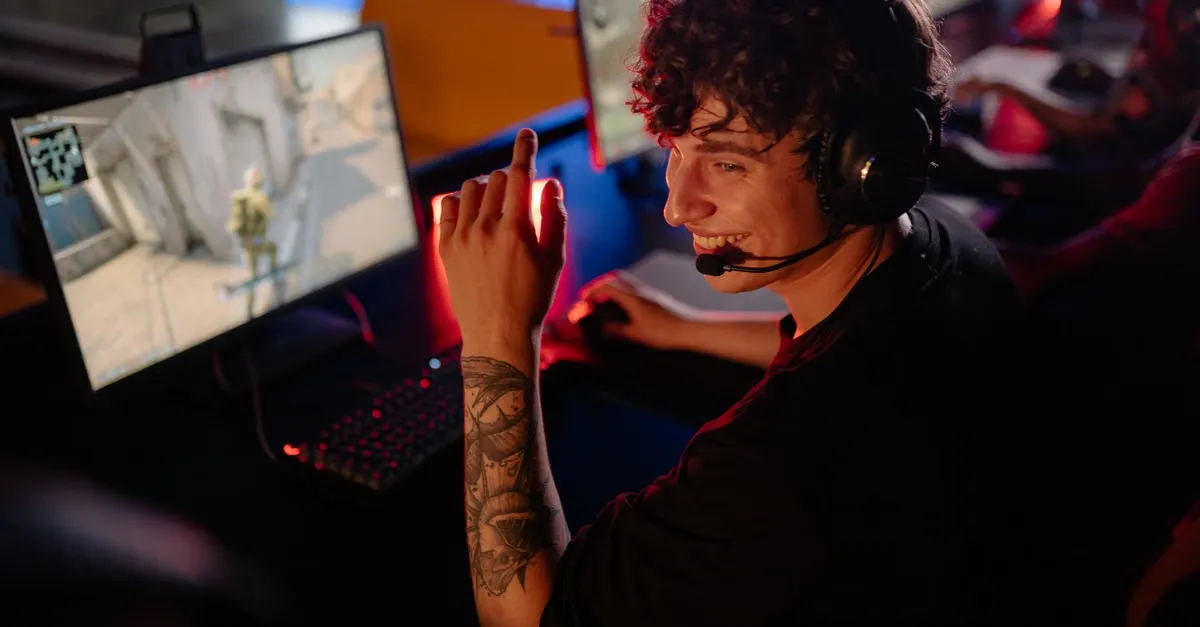

How to Get Twitch Viewers Without a Webcam: Growth Tips
Learn how to get twitch viewers without webcam using PNGTuber avatars, engaging commentary, and proven audience growth strategies to stand out on the platform.
Quick Answer
- Standing out on Twitch is extremely difficult, as 95% of streamers average 0-5 viewers while competing against 5 million others.
- A PNGTuber setup allows you to stream without a webcam by using voice-activated software to alternate between static images.
- 2D and 3D VTuber models offer more advanced animations, but generally require a webcam, smartphone, or VR headset for face and body tracking.
Twitch Competition and Audience Growth Challenges
Building an audience on Twitch requires understanding the platform’s inherent structural hurdles. The ecosystem is heavily skewed toward established creators, creating a massive disparity in viewership distribution. According to Dexerto, the top 5,000 channels absorb 74% of all watch time on the platform. This extreme concentration of attention means the vast majority of the audience is watching a tiny fraction of the overall talent pool.
For everyone outside that elite group, the numbers present a daunting reality. Over five million other streamers are left to compete for the remaining 26% of Twitch watch time. This creates a hyper-competitive environment where simply initiating a broadcast guarantees almost zero impressions. You are fighting millions of peers for a fraction of the audience’s available attention span.
This top-heavy architecture dictates the day-to-day experience of the average creator. The data shows that 95% of all Twitch streamers average between zero and five concurrent viewers. Sitting in this demographic is an exhausting grind. It forces creators to broadcast to empty rooms for hours on end, making it vital to understand how to keep talking when your stream has zero viewers just to maintain the pacing of an active broadcast. Without a lively chat to interact with, energy levels drop, making it even harder to convert a rare passing visitor into a permanent follower.
The primary driver of this inequality is the platform’s discovery interface. When browsing a Twitch category, channels are sorted by viewer count from highest to lowest. Unlike external video platforms that serve content based on algorithmic user interests or watch history, Twitch relies on a rigid numerical hierarchy. The creators who already have the most viewers sit at the very top of the page, capturing all the organic, browsing traffic. If you are hovering in the single-digit viewer range, your channel is buried at the bottom of the directory. A potential viewer has to manually scroll past hundreds or thousands of other live streams just to find your thumbnail. This sorting method creates an aggressive feedback loop: high viewership generates premium directory placement, which immediately attracts more viewers, while low viewership effectively guarantees continued obscurity.
Operating in a system where visibility is blocked by a rigid directory structure takes a significant psychological toll. Creators pour time and money into their stream assets, only to navigate a platform interface that actively hides them from potential audiences. The constant friction of battling millions of users for a sliver of the total watch time leads to widespread burnout. Because of these compounding visibility challenges, 88% of streamers quit within two years.
Using a PNGTuber Setup to Stream Without a Webcam
A PNGTuber is a streamer who uses a static or semi-animated PNG avatar instead of a webcam or a fully rigged VTuber model. This approach solves a frequent problem for new broadcasters: the technical and personal pressure of maintaining a live camera feed. Rather than configuring physical lighting, managing a room’s background, or troubleshooting video capture cards, creators can represent their stream persona entirely through customized digital art. Because this format bypasses the demanding requirements of skeletal rigging, mesh deformation, or 3D modeling, it serves as a highly efficient entry point into the virtual streaming landscape.
The technology driving a PNGTuber broadcast operates purely on audio cues rather than visual tracking. The dedicated PNGTuber software detects voice activity through your microphone and instantly swaps between the assigned static graphics. At the fundamental level, the system alternates between two distinct states: it displays a mouth open image when you are talking and seamlessly switches to a mouth closed image the moment you are silent. Since the avatar’s animation is tethered exclusively to your vocal input, dead air becomes immediately apparent on screen. Whenever you stop speaking, your character halts all movement. This direct mechanical link between audio and visual activity makes consistent commentary mandatory, requiring broadcasters to develop habits like How to Keep Talking When Your Stream Has Zero Viewers.
The barrier to entry regarding hardware and software is exceptionally low. The entire workflow requires only a microphone, free software, and a minimum of two PNG images. Crucially, the setup does not require a webcam, nor does it require any specialized face-tracking software. This significantly reduces the processing load on your computer compared to capturing high-definition video or running real-time facial recognition applications. To manage the automated image swapping, creators can utilize tools like Discord Reactive Images by FugiTech. This specific utility allows users to stream using a PNG avatar instead of a webcam by monitoring voice activity and pushing the corresponding image state to the broadcasting software.
While the technical requirements are minimal, the visual quality of the broadcast relies heavily on the provided illustrations. Procuring these assets is usually the sole financial investment required to get started. Commissioning art for a PNGTuber avatar costs between $20 and $100. This investment covers the base character design and the essential open and closed mouth variations needed for the software to function. Securing custom artwork in this $20 to $100 range allows a creator to establish a unique, professional brand identity on their channel, completely bypassing the steep costs associated with animating fully articulated virtual models.
Exploring 2D VTuber Alternatives and Limitations
A 2D VTuber setup, typically built on the Live2D framework, relies on a highly customized, rigged 2D model to deliver smooth, expressive movement. Rather than swapping out static images when you speak, the rigging allows the model to map continuously to your physical actions. This motion tracking requires a webcam or an iPhone to capture your face. The tracking software reads your physical expressions—capturing micro-movements, eye blinks, head tilts, and mouth shapes—and translates those physical inputs into digital articulation in real time. For viewers, the result is a highly responsive, animated persona that feels present and alive on screen, mimicking the broadcaster’s exact reactions during gameplay or chatting segments.
However, the barrier to entry for this level of quality is exceptionally steep. You cannot simply draw a flat character and immediately use it. The model must be conceptualized and illustrated with distinct, meticulously separated layers for every movable element. Eyelashes, individual hair strands, and specific clothing layers must all be independent so the rigger can program their physics. Commissioning this custom 2D VTuber art and the subsequent rigging process costs between $100 and $800+, heavily dependent on the complexity of the design, the number of expressions needed, and the specific rigger’s professional rates.
The expenses also extend into the software stack required to run the broadcast. At a baseline, controlling the model usually involves software expenses like the $25 VTube Studio DLC. For creators who want to actively modify their models or need access to the complete suite of rigging tools, there is an optional Live2D Pro subscription that costs approximately $100 per year. These compounding software and artistic costs make full 2D VTubing a significant financial commitment for any broadcaster looking to upgrade their visual presentation.
2D VTuber Investment Breakdown
| Requirement | Estimated Cost |
|---|---|
| Webcam or iPhone for face tracking | — |
| Art and rigging | $100-800+ |
| Software (VTube Studio DLC) | $25 |
| Live2D Pro subscription (optional) | ~$100/year |
Beyond the financial strain, the physical time required to establish a fully rigged digital identity is a major limitation. Setting up a 2D VTuber takes days to weeks from start to finish. This timeline accounts for collaborating with the artist, waiting for the intricate rigging process to be executed, and finally calibrating the model inside your chosen tracking software. You must spend hours adjusting parameter sliders so the webcam or iPhone accurately translates your real-life expressions without glitching or snapping unnaturally.
Because of these high financial and temporal costs, seeking out alternatives is a practical step for most beginners. Committing heavily to a complex Live2D model does not inherently generate viewership or guarantee success. In fact, it can be deeply frustrating to spend weeks and hundreds of dollars on a flawless digital avatar, only to face the harsh reality of How to Keep Talking When Your Stream Has Zero Viewers. Utilizing simpler alternatives allows broadcasters to test the waters of virtual streaming without the massive upfront investment. Bypassing the weeks of setup lets you focus your immediate energy on developing your live commentary, community building, and technical stream management first.
Exploring 3D VTuber Alternatives and Customization
Moving into the 3D VTubing space fundamentally shifts how your audience interacts with your digital persona. Unlike static images or simple audio-reactive formats, a 3D VTuber avatar relies on a webcam or a VR headset for face tracking and full body movement. This hardware captures your physical inputs and translates them into the digital environment, allowing your avatar to mirror your actual presence in real time. Having a highly expressive avatar that reacts instantly to your physical energy gives you an immediate on-screen advantage. This active presence is particularly useful during the early stages of a broadcast career; a reactive 3D model provides visual interest and momentum, acting as a valuable anchor when applying strategies for How to Keep Talking When Your Stream Has Zero Viewers.
The financial barrier to entry for full 3D streaming is much more flexible than many new creators assume. Acquiring 3D VTuber models ranges in cost from completely Free, specifically when utilizing base generation tools like VRoid, to $500+ for fully bespoke custom commissions. Broadcast software is similarly accessible to new streamers. To bring your tracked model to life on screen, the 3D VTuber software VSeeFace is free to download and use.
VTuber Software and Asset Pricing
| Item | Estimated Cost |
|---|---|
| VRoid Studio | — |
| Booth Custom Content (CC) | Free or 200 yen (less than 2 USD) |
| Discord Reactive Images by FugiTech | — |
| PNGTuber software | Free |
| Commissioning art for a PNGTuber avatar | $20-100 |
| 2D VTuber art and rigging | $100-800+ |
| 2D VTuber software (VTube Studio DLC) | $25 |
| Live2D Pro subscription | ~$100/year |
| 3D VTuber models | Free (VRoid) to $500+ (custom) |
| VSeeFace (3D VTuber software) | Free |
| Face-tracking software | — |
| Hand tracking software | — |
If you want to avoid the $500+ price tag of a premium custom commission, you can build the foundational model yourself. VRoid Studio allows users to create 3D avatars directly within its interface. Once you shape the character to your liking, the software saves them as a VRoid file. This single VRoid file serves as your core asset, ready to be imported directly into tracking programs or heavily modified to fit your specific branding requirements.
While VRoid Studio provides the necessary foundation, most streamers want their avatars to reflect a distinct, personalized identity rather than relying solely on default software options. To achieve this without modeling complex 3D clothing from scratch, creators turn to Booth. Booth is an indie marketplace featuring English translations, making it easily navigable for international broadcasters. It serves as a central hub where users can download both free and paid Custom Content (CC) for avatars.
The marketplace structure of Booth allows independent digital artists to distribute their custom textures, outfits, and accessories directly to the VTubing community. Upgrading your avatar through this platform is highly cost-effective compared to traditional 3D rendering commissions. Some items on Booth require a payment of just 200 yen, which translates to less than 2 USD. This micro-transaction model allows you to continually update your VRoid file with new clothing options, keeping your stream’s visual presentation continuously fresh.
Advanced Avatar Tracking and Technical Support
Elevating a VTuber stream requires moving beyond a static model to capture genuine physical expression. Translating real-world gestures to a digital persona creates a highly immersive experience, but many creators misunderstand the structural requirements needed to make this happen.
Avatar features like blinking and mouth movement come standard on almost every model. These baseline animations allow a VTuber to communicate and react without complex technical configurations. However, advanced mechanics operate on a completely different level. Hand movement rigging does not come standard. If you expect your avatar to point, wave, or gesture naturally, the model itself must be explicitly built for those specific actions.
Implementing VTuber hand tracking requires three core elements functioning in unison. First, you need a 3D or 2D avatar rigged to move. Without the proper underlying skeletal structure and specialized rigging for the arms and fingers, no tracking technology will be able to force the model to articulate.
Second, you need software that supports hand tracking. Standard facial recognition applications cannot always interpret limb data. You must choose a broadcasting program specifically designed to parse body movement and map it accurately onto your rigged file.
Third, the process requires dedicated hardware to capture your movements live. Creators can accomplish this using a webcam, a Leap Motion controller, or a full VR setup. A webcam offers the most accessible route, using camera-based visual recognition to estimate hand placement. A Leap Motion controller provides a specialized infrared solution designed specifically to track intricate finger gestures directly from your desk. A full VR setup delivers maximum spatial accuracy, tracking your hardware within a fully defined three-dimensional space.
Bringing these elements together often demands patience and extensive troubleshooting. Finding reliable technical support can occasionally be a frustrating experience. You may run into broken documentation when looking for answers; for instance, you might encounter a platform FAQ that fails to load, presenting only a CSS error message and yielding no specific technical details. When official platform guides break down, you must rely heavily on the specific documentation provided by your avatar artist and tracking software developer.
Ultimately, advanced tracking technology is an amplification tool. An avatar with fully articulated fingers and fluid arm movements looks incredible on screen, but it cannot carry the broadcast alone. Understanding How to Keep Talking When Your Stream Has Zero Viewers remains a critical skill, regardless of how sophisticated your VR or Leap Motion configuration happens to be. The hardware captures the physical movement, but the creator still has to drive the performance.
References
About the author
The ZQStream Team
Writes long-form essays on Live Streaming Tips, Video Editing Tutorials, Content Creator Gear, Software Tutorials, and Audience Growth Strategies and related topics. Curated by the editorial team behind ZQStream.
Read more
How to Set Up Global Track Dynamics in DaVinci Resolve
Mackie DLZ Creator XS Review: A True GoXLR Replacement
Keep reading