





Arctic Liquid Freezer III Pro 420mm Review: Top Cooler?
Arctic Liquid Freezer III Pro 420mm review: 73.6°C in Cinebench R23, best thermal value at $112.99 for streamers and video editors needing quiet cooling.
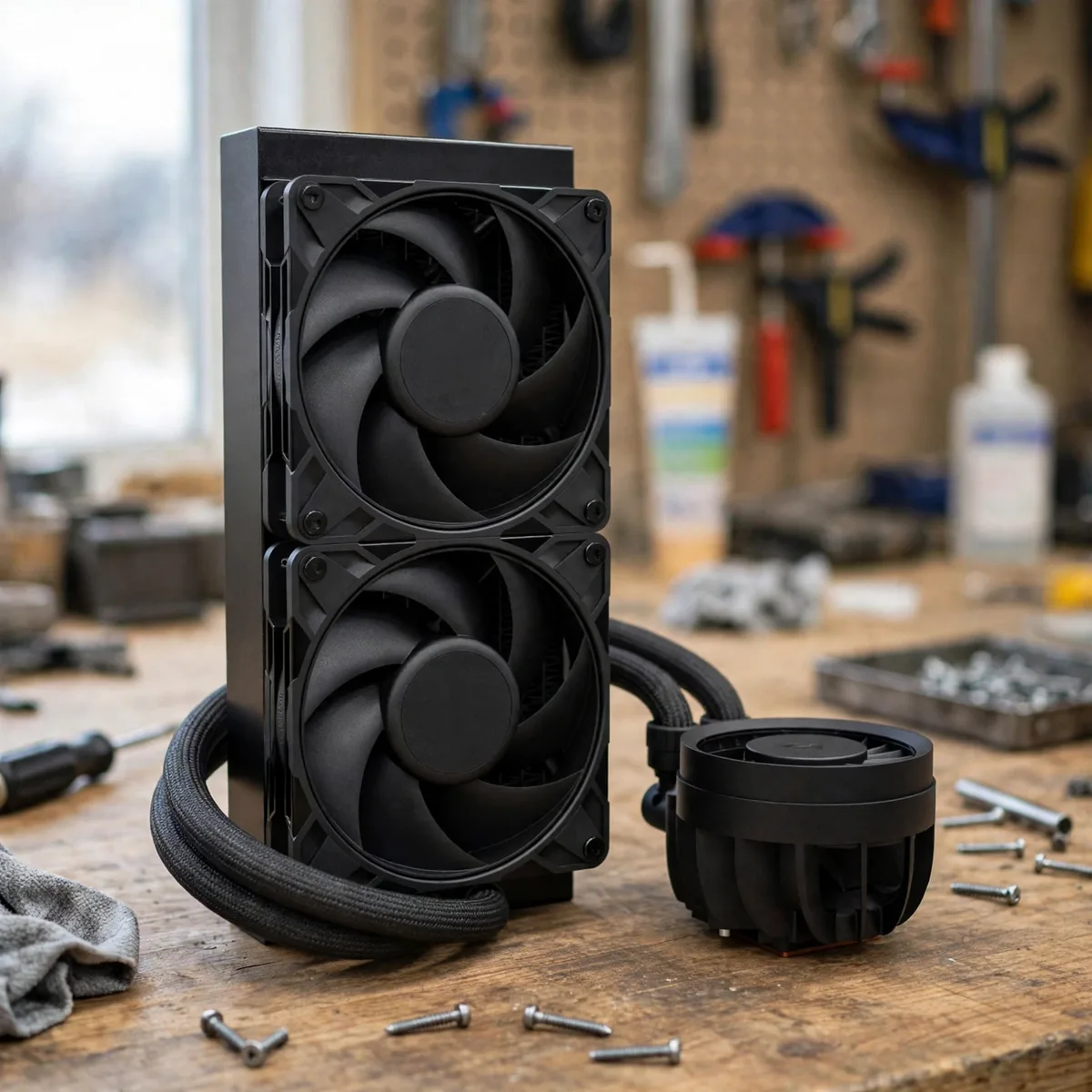
Quick Answer
- Achieved 73.6C in the Cinebench R23 stock power limit test, the best result seen yet on this system
- Offers the best thermal performance to price ratio for a 420mm AIO at £100 on Scan and $112.99 on Amazon
- Maximum volume is 52.7 dBA, the second loudest cooler tested in the past few years, despite 42.4 dBA at 150W
Thermal Performance for Streaming and Video Editing Workloads
A cooler can look fine in a short burst and still struggle when a stream runs for hours or an export keeps the CPU pinned, so sustained-load results tell the real story for creators. On an AMD Ryzen 9 9950X, the Liquid Freezer III Pro 420 was put through that kind of extended pressure, and it held up across locked-frequency runs, power-limit tests, and tests with extra heat coming from the GPU.
With fans at maximum rpm and the CPU running in a locked frequency mode, the Liquid Freezer III Pro 420 showed thermal performance at 59°C over ambient on the Ryzen 9 9950X. That result equals the performance of the Silverstone IceMyst 420 at maximum fan speed, which puts the Arctic cooler in top-tier company for a flagship editing and streaming build. The more useful result for a live setup came at a controlled noise level. At 40dBA, the Liquid Freezer III Pro produced an average CPU temperature of 61°C over ambient, beating all of the opposition.
That balance matters when a microphone is live. Lower temperatures at a quieter fan level mean less need to push the fans hard to stay stable during a long session, whether you are live, recording, or working through a timeline in CapCut Desktop Review: Can It Handle Professional Editing?. In the PBO test, the Liquid Freezer III Pro hit the same clock frequency as the Silverstone IceMyst 420 but at a few degrees C lower average temperature while cooling 254W package power, so the same performance came with a little more thermal headroom in reserve.
Cinebench R23 gives another practical reference point. With a stock power limit, the CPU will consume roughly 200W, and in that test the Liquid Freezer III Pro 420 achieved a temperature of only 73.6C, the best result seen yet on this system. It also beat BeQuiet’s Silent Loop 3 420 by 1.4 degrees C in the same Cinebench R23 stock power limit test. With PBO enabled, the cooler handled 262.3W, on average, and in PBO performance testing at full fan speeds with an AMD Ryzen 9 9950X, the Arctic Liquid Freezer III Pro 420 cooled over 268W.
Real creator PCs rarely run the CPU alone. In the test with added GPU heat, the GPU contributes 295W of heat into the PC case, a realistic worst case for a machine that is gaming, streaming, and encoding at the same time. Even there, the result was 249.3W, outperforming the best 360mm result, with an increased thermal capacity of 16.5W. That extra capacity is what keeps a system from throttling when the timeline, the encoder, and the game all demand power at once, and it is why this 420mm cooler stands out for heavy, mixed workloads.
Noise Levels and Microphone Impact for Streamers
For a streamer, a cooler does not just keep a CPU from throttling. It sits in the same room as the microphone, running through long sessions, and any extra fan noise becomes part of the broadcast. That is why the noise profile of the Liquid Freezer III Pro 420 matters as much as its cooling headroom.
The Liquid Freezer III Pro is louder than the non-Pro due to the high fan speed, but it still seems to run at a reasonable noise level with fan speed maxed out when compared with other 420mm coolers. That comparison matters, because the Pro is judged against other large coolers that also make themselves heard when pushed hard.
One measurement puts the Liquid Freezer III Pro at 40dBA with the fans running at almost 1600 rpm. That gives a useful reference for what the fans sound like when they are spinning fast, rather than idling through a light load. A streamer running a demanding game while encoding and chatting is more likely to hear the cooler in that higher part of its range.
The be quiet! 420mm Silent Loop3 provides the contrast. It is significantly quieter, but it runs at a lower max fan speed. A lower ceiling on fan speed can mean less noise in the room, while the Pro’s higher fan speed is the reason it is louder than the non-Pro.
A second set of measurements puts the maximum volume in sharper relief. In terms of maximum volume, the Liquid Freezer III Pro 420 is 52.7 dBA, the second loudest cooler tested in the past few years. That is a different way of looking at the same cooler. Instead of asking how it sounds at a specific fan speed, it asks how loud it can get when pushed to its limit, which is the worst-case noise your microphone will have to compete with.
At a more typical load, the picture changes. When the CPU consumes 150W, the cooler’s volume is 42.4 dBA. That is well below the 52.7 dBA maximum, and it shows how much the noise level depends on what the system is actually doing. A stream that keeps the CPU around that 150W level will not sound the same as one that pushes the cooler to its maximum, and the difference between those two figures is the space where most real streaming happens.
The choice comes down to that balance. The Pro reaches 40dBA at almost 1600 rpm, can reach 52.7 dBA at maximum, and sits at 42.4 dBA when the CPU consumes 150W. The Silent Loop3 is significantly quieter, but it does so with a lower max fan speed. If quiet operation around the microphone is the priority, that distinction is hard to ignore.
Price, Value, and Warranty
That combination of price and performance is what makes this cooler hard to ignore. KitGuru went as far as calling the Arctic Liquid Freezer III Pro 420 the best thermal performance to price ratio for a 420mm AIO as far as it can see, and that kind of verdict sticks because it is not just about being cheap or being powerful in isolation. It is about what you get back for every pound or dollar you put in, and in that calculation this cooler lands in a very comfortable spot.
On the UK side, the cooler was listed for £100 on Scan, a figure that was described as a touch under £100. That phrasing matters. It puts the cooler just below a psychological line that a lot of buyers use when they are weighing up a build, and it helps explain why the value story feels so strong. You are not paying a premium that needs to be justified with a spreadsheet. You are paying a price that feels approachable for a large-format cooler, and then getting performance that, according to KitGuru, punches well above what that price would normally suggest.
For buyers in the US, the same cooler was listed at Amazon for $112.99. That is a different number in a different currency, but the underlying point does not change. You are still looking at a cooler that sits in a price bracket where a lot of people expect compromises, yet the assessment from KitGuru frames it as the standout for thermal performance relative to cost among 420mm AIOs. For someone putting together a system where the cooler is one part of a much larger spend, that kind of positioning makes the decision simpler. You are not stretching to the top of the market to chase the ratio, and you are not settling for something that leaves you wondering if you should have spent a little more.
Arctic Liquid Freezer III Pro 420 pricing
| Retailer | Price |
|---|---|
| Scan | £100 |
| Amazon | $112.99 |
The 6-year warranty adds another layer to that value, and it is easy to overlook when you are focused on the checkout price. Six years is a long time to stand behind a cooler, and it changes how you think about the purchase. Instead of treating it as a short-term part to replace at the next upgrade, you can treat it as something you expect to keep through a long stretch of heavy use. That confidence matters if you run long sessions and do not want to be thinking about the cooler every few months. A long warranty does not guarantee you will never have a problem, but it does tell you something about how the maker expects the product to hold up, and it gives you reassurance if something goes wrong within that window.
Installation, Design, RGB, and Cable Management
Getting this cooler into a build does not turn into a long afternoon project. Installation is quick and easy, and that comes down to two things working together: the simple mounting system and the fact that the fans arrive preinstalled. You are not spending time figuring out a fiddly bracket layout or lining up each separate fan and working out which way each one should face before you even get to the radiator. The work that usually slows an AIO install down is already done for you, so the focus stays on getting the unit seated properly and moving on with the rest of the build. For anyone who has wrestled with a cooler that asks for a third hand, that straightforward approach makes a real difference in how the whole process feels.
The design trade-off is easy to see once the cooler is out of the box. It uses a thicker 38mm radiator, and that extra thickness increases the overall size of the cooler compared with AIOs that use standard 27mm thickness radiators. That is an 11mm difference, and it matters more than it sounds like on paper because it changes how much room the unit takes up inside a case. It is not a subtle change in proportions. The cooler feels bigger, looks bigger, and needs to be treated as a bigger component when you are thinking through where it will sit and how much clearance you have around it. That added bulk is part of the design, not an afterthought, and it shapes the physical presence of the whole unit from the moment you pick it up.
Once it is running, the lighting does a lot of the visual work. The RGB lighting on the fans is nice and bright, and easy to control, which keeps the look from becoming a chore to live with. You get a strong, visible glow rather than a faint wash that disappears as soon as the rest of the room lights up, and changing it does not feel like a separate project in itself. There is a small catch, though, and it is worth knowing before you judge the effect up close. There is some minor light bleed from the individual LEDs, so it is not perfectly diffused. Look closely and you can pick out the individual points of light instead of seeing one completely smooth, even spread of colour. From a normal viewing distance that imperfection fades into the background, but up close the bleed is there.
Cable management is no problem, and that comes from the way the wiring is handled. The fans use daisy-chained cables, and wiring is hidden in the tube sleeving, so there is less loose cable to route or tuck away neatly.
Compatibility Checks for M.2, GPUs, and Case Fit
This is the part of a build that is easy to skip, and the part that can turn a straightforward install into a frustrating afternoon of taking things back apart. The Liquid Freezer III Pro is not a cooler you want to discover does not quite fit after you have already mounted it, routed the tubing, and started tidying cables. A quick check of the three places where it is most likely to clash — the M.2 slot closest to the CPU, the graphics card mounting, and the case itself — will save you far more time than it takes.
The first check is the M.2 slot 1 heatsink. Because of the CPU block and tubing design, the cooler can interfere with tall heatsinks in that position, and this is not a quirk limited to one size. The 360/280 and 240mm versions also suffer with potential interference issues with tall M.2 slot 1 heatsinks, so downsizing the radiator does not automatically solve the problem. If your board has a particularly tall heatsink sitting right next to the socket, that is the combination to look at closely before you commit. The position matters as much as the height, because slot 1 is the one that sits in the path of the block and the tubes as they leave the CPU area.
Arctic have confirmed they are aware of the potential compatibility issues with M.2 slots, and there is a practical route forward if you are affected. They are currently offering a free M2 Pro cooler for anyone affected, just get in touch with Arctic support. That is worth knowing before you start swapping parts or looking for a different board, because the fix is handled through support rather than through a different purchase. Keep the details of your board and cooler to hand when you contact them, and check the fit first rather than assuming you will need it. If your heatsink clears the block and tubing without contact, you can leave the setup alone and move on to the next check.
The second check is how your graphics card is mounted, and this is where case choice can catch you out. In some chassis the Liquid Freezer III Pro will not be compatible with vertically mounted GPUs, and that includes Arctic’s own recently launched Xtender chassis. That detail matters because it breaks the usual assumption that parts from the same maker will always work together. That is a combination to confirm before you build, not after you have already fitted the cooler. Check the case and the mount together. If you plan to mount your card vertically, confirm that specific combination first, rather than relying on the case name or the brand on the box.
Testing Setup and Review Context
The review that anchors this discussion was published on 20 January 2026 by Albert Thomas for Tom’s Hardware. That attribution matters because it gives readers a clear point of reference for when the assessment was made and who was responsible for the testing and the conclusions drawn from it. Rather than treating the findings as timeless, it helps to read them as a snapshot from that date, tied to the particular setup described in the review itself.
Most of the testing was performed with the cooler tied to the default fan curve of the MSI x870E Carbon motherboard. In practical terms, that means the focus was on stock behaviour rather than on extensive manual tuning or an aggressive custom profile. It was left to respond the way the motherboard dictates by default, with fan speed rising and falling according to that stock curve. For anyone building or upgrading a system, that approach has a specific value: it shows what to expect if you install the Arctic Liquid Freezer III Pro 420 and let the board manage it, without spending time in the BIOS first.
That choice also sets a boundary around how far the results should be stretched. A default curve is a useful baseline, and it is the experience many users will have on day one, but it is not the only way the cooler can be run. Changing the curve would change the balance between cooling behaviour and noise behaviour, and the review’s main testing does not claim to cover every possible configuration. Reading the numbers with that setup in mind keeps the focus on out-of-the-box behaviour rather than on a best-case, hand-tuned scenario.
Two YouTube sources consulted alongside the written review did not add to the technical picture. The content for the first of those videos contained no specific technical details about the Arctic Liquid Freezer III Pro 420, and the same was true for the second. That does not make the videos irrelevant in a general sense, but it does mean they cannot be used here to confirm, extend, or challenge the specifics of the Tom’s Hardware testing. Where a claim in this article rests on a measured setup or a dated publication, it rests on the written review.
Keeping that setup in mind matters when weighing what the review can and cannot show, because a result tied to one board’s default curve works best as a starting point for comparison rather than as a promise about every installation. It shows how the Arctic Liquid Freezer III Pro 420 behaved when left to the MSI x870E Carbon’s stock management, and any move away from that setup — a different board, a different curve, or a different system — moves away from the conditions behind the testing itself.
References
- #Arctic Liquid Freezer III Pro
- #AIO CPU Cooler
- #Live Streaming Gear
- #Video Editing Hardware
- #Ryzen 9 9950X
About the author
The ZQStream Team
Writes long-form essays on Live Streaming Tips, Video Editing Tutorials, Content Creator Gear, Software Tutorials, and Audience Growth Strategies and related topics. Curated by the editorial team behind ZQStream.
Read more