

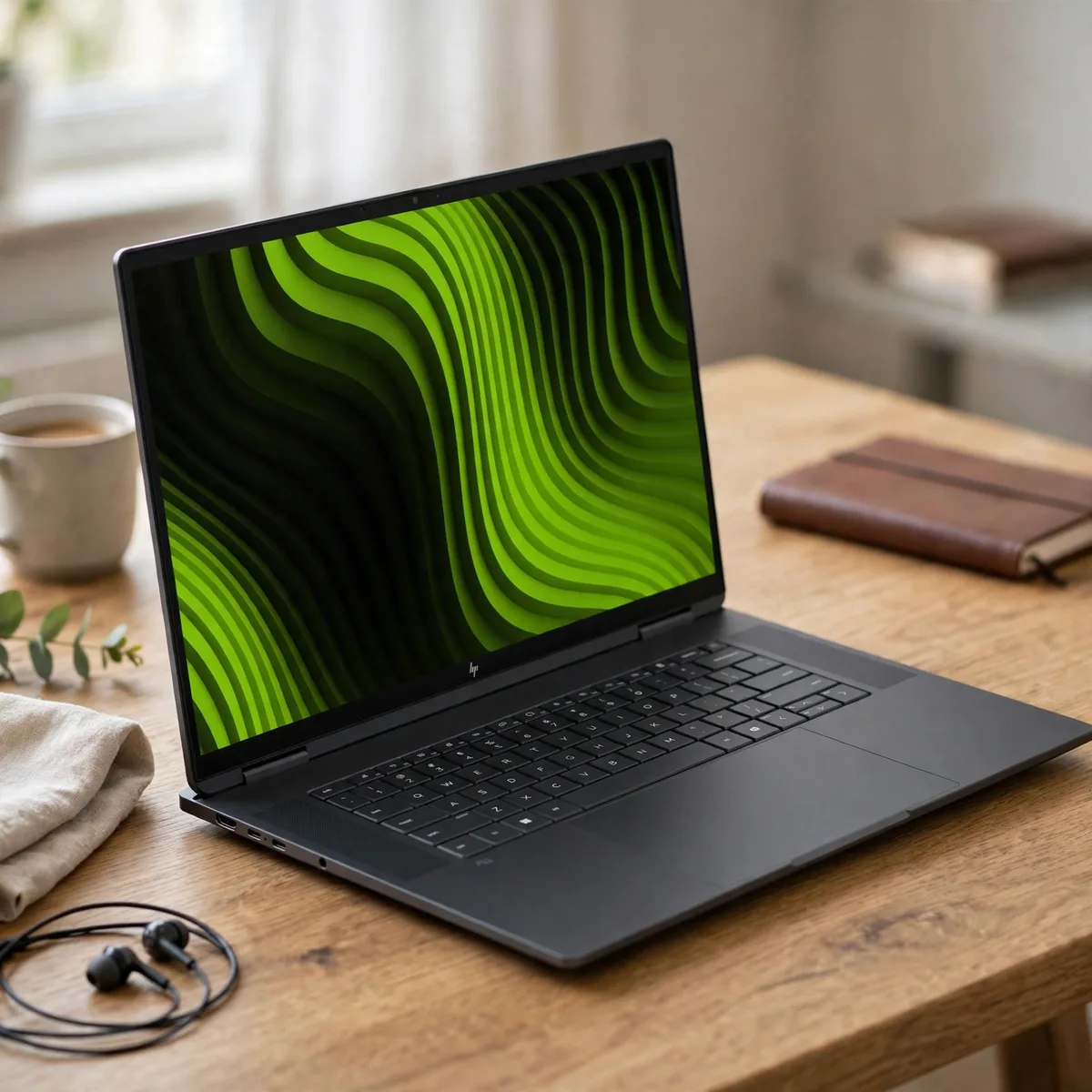
HP Omnibook Ultra 16 RTX Spark Review for Creators
HP Omnibook Ultra 16 RTX Spark review: Is this all-aluminum AI powerhouse the best portable laptop for video editing and streaming in 2026? Find out here.
Quick Answer
- The 128GB model posted the highest multi-core Cinebench 2026 score in its comparison group at 7,004
- The 32GB model stays within about 2 percent of the 128GB unit on CPU, MLPerf, and RAG work, with pricing starting at $3,199.99
- Its 3K OLED display delivers 500 nits and peaks at 1,100 nits in HDR, while battery life averaged a bit over 6.5 hours in Thurrott’s testing
Design, Size, and Portability for Creators on the Go
HP didn’t start from scratch with the OmniBook Ultra 16. It borrows heavily from its smaller sibling, the OmniBook Ultra 14, and it shows in the way the larger machine carries itself. The 16 follows many of the same principles in design, materials, and performance as the 14, which gives the lineup a familiar feel if you’ve handled the smaller model before. That continuity matters for creators who don’t want to relearn a machine every time they move up a size. You get a bigger canvas, but not a completely different design language to get used to.
The family connection is worth noting because the OmniBook Ultra 14 comes in both Qualcomm- and Intel-based designs, a reminder that HP has been shaping this line around different kinds of prosumer needs rather than a single formula. The Ultra 16, by contrast, is positioned as HP’s 16-inch NVIDIA RTX Spark notebook. That distinction sets the tone for the whole machine: it’s still part of the OmniBook line, which targets consumers and prosumers, but the 16-inch version is built around a larger footprint and the cooling headroom that size allows.
That extra room is put to work in one specific place: the thermal shelf. HP adds a thermal shelf that pulls heat away from the system’s components and gives it more surface area to cool. On paper, that’s a practical trade for a creator machine that will be pushed hard, but in the hand it changes the proportions. The shelf almost makes the 16-inch chassis too big, pushing the design right up to the edge of what still feels manageable in a bag. It’s not an invisible engineering detail tucked away inside. It’s something you notice in the overall size, and HP has clearly decided the cooling benefit is worth that compromise.
The numbers tell that story plainly. The HP OmniBook Ultra 16 measures 14.01 x 10.1 x 0.62 inches, and at 0.62-inch-thick it keeps a slim profile despite that added cooling structure. Slim, in this case, doesn’t mean featherweight. It weighs 4.89 pounds, so it’s a machine you’ll feel in a shoulder bag on a long walk through an airport or across a shoot location, even if it doesn’t look bulky when you pull it out on a table. For creators who travel with a camera bag, a laptop sleeve, and the usual tangle of cables and drives, that weight is part of the calculation, not an afterthought.
And yet, the practical test is more reassuring than the measurements alone suggest. The HP OmniBook Ultra 16 still fits in a backpack designed for 15-inch MacBooks from years ago. That’s the detail that reframes the whole portability question. You don’t necessarily need to buy a new, oversized bag to accommodate the jump to 16 inches, and you don’t have to treat the laptop as a desk-only machine that only travels when you plan around it. If your existing bag already worked for a 15-inch laptop, there’s a good chance this machine slides into the same routine, thermal shelf and all.
For a prosumer creator, that balance is the point. You get the larger 16-inch workspace, the familiar OmniBook design principles, and cooling that isn’t squeezed into a chassis that can’t breathe — all in a package that still travels like the laptop you already own. It won’t disappear in your bag, but it also won’t force you to rethink how you travel. That is portability that actually holds up outside the studio.
Display Quality for Video Editing and Streaming
For video editors and streamers, the screen you stare at all day shapes more than comfort — it shapes what you catch before your audience does. A missed focus pull, a slightly crushed shadow, a highlight that blows out on export: those are display problems first, editing problems second. That is why the contrast between these two laptops matters, because they take opposite approaches to getting an image in front of you.
The HP OmniBook Ultra 16 leans on OLED. Its 3K OLED touchscreen trades outright resolution for depth, and in practice that shows up in the blacks and the separation between dark tones — the kind of detail that matters when you’re grading a dim interview or checking whether a background is actually clean or just dark enough to hide something. HP also gives it G-Sync support, which the Surface Laptop Ultra’s display lacks, alongside that OLED contrast. For everyday editing, the panel delivers 500 nits, and it peaks at 1,100 nits in HDR, so HDR previews have more headroom than a standard SDR workspace, even if they don’t reach the brightest panels on the market.
The Surface Laptop Ultra goes the other way. Its display has a higher resolution than the HP OmniBook Ultra 16, and because that resolution is packed into a 15-inch panel, it ends up with a much higher pixel density. Text stays crisper at small sizes, interface elements look tighter, and fine detail in a timeline — clip edges, waveforms, tiny markers — is easier to read without constantly zooming in and out. Its Mini LED panel also delivers 2,000 nits, nearly double the HP’s HDR peak, which makes it the brighter panel for working in a sunlit room or for judging highlights that need to hold up on a bright stream.
Display Comparison
| HP OmniBook Ultra 16 | Surface Laptop Ultra |
|---|---|
| Panel: 3K OLED touchscreen | Panel: Mini LED |
| Size: 16-inch | Size: 15-inch panel |
| Resolution and pixel density: Lower than Surface Laptop Ultra | Resolution and pixel density: Higher resolution and much higher pixel density than HP OmniBook Ultra 16 |
| Brightness: 500 nits, peaks at 1,100 nits in HDR | Brightness: 2,000 nits |
| G-Sync and contrast: Offers G-Sync support and OLED contrast | G-Sync and contrast: Lacks G-Sync support and OLED contrast |
That split maps neatly onto different editing habits. If you spend most of your time in a timeline, scrubbing, trimming, and checking small details at a glance, the Surface’s density is hard to ignore — it reduces the need to zoom in just to confirm a cut, a problem we break down in Beat Timeline Zoom Fatigue: Stop Micromanaging Cuts. If you spend more time on color, exposure, and how a shot will actually look to viewers, the HP’s OLED contrast and G-Sync support start to pull ahead, especially for darker, moodier footage where Mini LED brightness alone doesn’t tell the whole story.
For streaming, brightness and contrast both play a role in what you see while you’re live. A brighter panel helps when you’re not in a controlled studio, and the Surface’s 2,000 nits give it a clear advantage there. The HP, at 500 nits for regular use and 1,100 nits in HDR, is still bright enough for most indoor setups, and its OLED contrast can make overlays, chat windows, and darker game scenes easier to separate at a glance. There is one small friction point worth knowing: the HP OmniBook Ultra 16 screen takes a noticeable second to come on when opening the display lid. It’s not a dealbreaker, but if you’re the kind of creator who flips the lid open and expects to be live-ready instantly, that pause is noticeable.
That is the real trade-off to weigh before you buy: resolution and brightness you can measure at a glance, versus contrast you feel every time a dark scene comes up. For editors and streamers who live in those shadows, the HP’s OLED panel does more than look good — it changes what you trust on screen.
RTX Spark Performance and Local AI Workloads
The HP OmniBook Ultra 16 is built around NVIDIA’s N1X superchip, and the early tests are most interesting not for a single headline number, but for what happens when you compare two versions of the same machine. StorageReview tested one configuration with the full 20-core N1X, 128GB of LPDDR5X, and a 2TB Gen5 SSD, and a second with the same chip, 32GB, and a 1TB Gen5 SSD. For creators shopping this class of laptop, that split is useful. It shows where extra memory actually changes the result, and where the base chip is already doing most of the work.
HP OmniBook Ultra 16 tested configurations
| Configuration | Chip | Memory | Storage |
|---|---|---|---|
| 128GB, 2TB build (HP.com configurator only) | Full 20-core N1X | 128GB of LPDDR5X | 2TB Gen5 SSD |
| 32GB, 1TB unit (Best Buy’s $3,199.99 configuration) | Full 20-core N1X | 32GB | 1TB Gen5 SSD |
On CPU-heavy work, the 128GB model leads the group outright. It posted the highest multi-core Cinebench 2026 score in its comparison group, at 7,004, and it completed an all-core OpenBLAS solve at 98 C — a solve that powered off two Surface units in the same testing. That endurance matters. Long, sustained jobs don’t care how fast a laptop feels for thirty seconds; they care whether it holds together when every core is busy and heat builds. Here, the OmniBook Ultra 16 finished.
What makes the lower-memory model harder to dismiss is how close the 32GB machine stays. StorageReview found it within about 2 percent of the 128GB unit on CPU, MLPerf, and RAG work. In practical terms, you are not buying a completely different class of performance by stepping up in memory for those workloads — you are buying headroom. The 32GB model also uses a 12GB GPU split, a setup it shares with the Lenovo Pro 9n 15. If your day is split between editing, streaming tools, browser-heavy research, and local AI experiments, that near-parity is the detail to remember before assuming the biggest configuration is the only serious one.
Gaming tells a similar story, with one very clear exception. Gears of War: E-Day runs at 2400 x 1500 with dynamic upscaling and high graphics quality, delivering a solid 60 FPS. Doom: Dark Ages goes further, running at 2560 x 1440 with high graphics quality at over 60 FPS. Doom Eternal, Halo Campaign Evolved, and The Last of Us Part 1 were also successfully run on the machine. For a creator who wants to play on the same laptop they work from, those are credible results — not cut-down settings offered as a consolation prize.
The exception is Call of Duty: Black Ops 7, which did not work in Thurrott’s testing. Microsoft has said Call of Duty support is coming in 2027, so that gap is acknowledged, but it is still a gap right now — and a notable one if that franchise is central to your channel. You will also hear the machine working for those results. Fan noise can kick on during bulk installing apps, running heavy local AI loads, or playing games, which is worth planning around if you record voiceovers or stream from the same room.
Local AI is where the pitch gets strongest. Thurrott used Hermes and LM Studio for local AI tasks, and got Gemma 4 12B working without issue in Stardock Clairvoyance. That is useful, day-to-day compatibility — the kind that determines whether local models become part of your workflow or stay a weekend experiment. Then StorageReview pushed it harder, and the 128GB model finished the tier M Qwen3.6 coding task faster than any other system in its comparison group.
Ports, Battery, and Everyday Software Experience
The port layout on the HP OmniBook Ultra 16 tells you a lot about how HP expects you to actually use it day to day. Everything fast and modern lives on the left, everything legacy and convenient lives on the right, and that split works well until you try to do something on the wrong side of the desk.
On the left, you get two 40 Gbps Thunderbolt 4/USB Type-C ports with USB Power Delivery 3.2, DisplayPort 2.1, and HP Sleep and Charge capabilities. Those are the ports you’ll use for charging, for a dock, or for a high-speed drive, and having two of them means you don’t have to choose between power and an accessory right away. Next to them sits one HDMI 2.1 video-out port, useful when you want to plug straight into a monitor or TV without hunting for an adapter, plus a combo headphone/microphone jack for a headset or wired earbuds.
The right side is more old-school, in a good way. There are two 10 Gbps USB Type-A ports, which still matter for the keyboards, mice, audio interfaces, and thumb drives most people already own, and a microSD card slot for pulling files off a camera or phone without a reader dangling off the side. What you won’t find on the right is a USB-C port, and that absence is more noticeable than it sounds on paper. If your charger, dock, or drive cable naturally reaches from the right, you’ll be rerouting it around the laptop or swapping sides, and if you like to keep a cable plugged in permanently on that side, you simply can’t do it with USB-C.
Battery is where the trade-offs get more interesting. The laptop has a 99 watt-hours battery and ships with a bundled 140-watt USB-C GaN charger, so you’re not left hunting for a brick powerful enough to keep up. In Thurrott’s testing so far, battery life is averaging about a bit over 6.5 hours. That’s early, real-world use rather than a final verdict, and StorageReview has said its own battery results will follow when the new test harness is completed, so there’s still room for that picture to sharpen. One smaller detail is worth noting for anyone who closes the lid and walks away: the machine loses about 3 percent of its battery sleeping overnight. It’s not dramatic, but it’s the kind of drain you notice if you leave it untouched for a few days and expect it to wake up at the same charge you left it.
Software is less forgiving. The HP OmniBook Ultra 16 runs Windows 11 Home, version 26H1, and it cannot upgrade to 26H2. For most daily tasks that won’t change how the laptop feels in the first week, but it does put a ceiling on the software story that you should know about before you buy, not after. Out of the box, HP also ships McAfee antivirus, Adobe offers, a Dropbox promotion, and other crapware, which means your first session is partly housekeeping. Clearing that out doesn’t change the hardware, but it does change how clean and uncluttered the machine feels when you actually sit down to work, stream, or edit.
That combination matters most if you plan to keep the laptop for years: the hardware is ready for a docked desk and a bag, but the missing right-side USB-C and the stuck Windows version are the details that will still be there long after the first charge cycle fades from memory.
Pricing, Configurations, and Buying Decision
Buying the HP OmniBook Ultra 16 is less about finding one right answer and more about deciding how much headroom to pay for on day one. The gap between the entry configuration and the top build tested is wide enough to turn a straightforward upgrade into a longer-term call about your setup, especially if you plan to keep the machine through several projects or client cycles.
The reference point is the 32GB, 1TB model. That is the configuration tested from Best Buy, priced at $3,199.99, and that same figure is also HP’s starting price for the HP OmniBook Ultra 16. If your current work fits comfortably in 32GB of memory and 1TB of storage, without regularly forcing you to close projects or offload files mid-session, there is a straightforward case for staying here. Money saved against the higher tiers can go toward the rest of a streaming or editing setup, where it may make a more noticeable difference day to day.
Moving to the 64GB, 2TB model takes the price to $4,999.99 on HP.com, a jump of $1,800 over the starting configuration. That doubles both memory and storage compared with the entry build, which tends to appeal if you keep larger local libraries, juggle several active projects at once, or do not want to archive as often. The real question is whether that extra room solves a problem you actually have. If your projects keep growing and storage management is already a regular chore, the step up is easier to justify. If not, it is $1,800 spent on comfort you may rarely notice.
The top build tested is a different kind of decision. The 128GB, 2TB configuration was priced at $6,229.99 as of October 14, and it is available only through HP.com’s configurator. That is $1,230 more than the 64GB, 2TB model and $3,030 more than the starting configuration, while storage stays at 2TB. The premium at this tier is therefore tied to the move to 128GB of memory, not to more disk space. That narrows the audience considerably: this is for a buyer who already knows 64GB is a constraint, not for someone hoping the biggest number on the page will future-proof everything by default.
Where you buy also narrows the choice. The entry unit tested is Best Buy’s $3,199.99 configuration, the 64GB, 2TB model lists on HP.com, and the top build is a configurator-only option on HP.com. If you want the 128GB model, the path is specific: order through HP’s configurator rather than picking up a standard retail configuration. It is worth confirming the current price before committing, since the top-tier figure cited here is dated October 14.
So choose from the work you do now, not work you might do someday. Look at how much memory and storage your typical sessions use, how many projects you like to keep live at once, and whether you prefer to keep finished work on the machine or move it elsewhere. If editing is central, separate hardware from software first: CapCut Desktop Review: Can It Handle Professional Editing? can help clarify what your workflow actually asks of a machine before you pay for headroom you may not need.
For most buyers, the 32GB, 1TB model at $3,199.99 is the sensible default, the 64GB, 2TB model at $4,999.99 is the step up when storage and multitasking are real, recurring pressures, and the 128GB, 2TB model at $6,229.99 is a specialist purchase for a known memory demand. Pick the tier that matches a constraint you can name, and the price stops feeling like a guess.
References
About the author
The ZQStream Team
Writes long-form essays on Live Streaming Tips, Video Editing Tutorials, Content Creator Gear, Software Tutorials, and Audience Growth Strategies and related topics. Curated by the editorial team behind ZQStream.
Read more
Beat Timeline Zoom Fatigue: Stop Micromanaging Cuts

Where to Start in a Streaming Catalog of Classic Films
Keep reading
Related Articles